Your chatbot
Pinned answers
Answers sent word for word, with no AI, for questions where a paraphrase would be a problem: refund terms, opening hours, legal wording.
Who can use it: Owner and Admin, or a custom role with "Manage training and knowledge".
Step 1: Open "Pinned answers"
Open "AI agent" in the left menu, then "Pinned answers" in the row at the top; the page itself is called "Exact answers". A pinned answer skips the AI entirely, so the wording never drifts and serving it does not use one of your plan's AI messages.
Step 2: Write the question and other ways people ask it
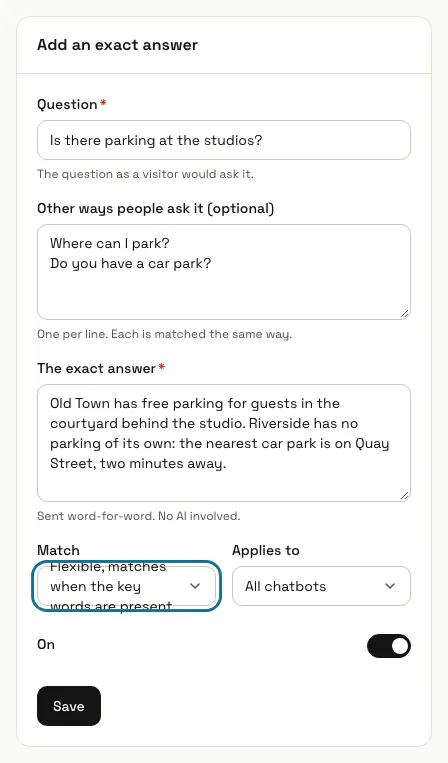
Under "Add an exact answer", type the "Question" as a visitor would ask it. Under "Other ways people ask it (optional)" add one phrasing per line; each one is matched the same way.
Step 3: Write "The exact answer"
This text is sent exactly as you write it, up to 5,000 characters. Nothing checks it for you, so read prices and dates twice before you save.
Step 4: Choose the "Match"
"Flexible" fires when every key word of the question, or of one of its other phrasings, is in the visitor's message. "Exact" fires only on that wording, ignoring capitals and punctuation.
Short everyday words such as "what", "your" or "there" are not key words. A question like "Is there parking?" keeps only "parking", so any message that mentions parking gets this answer.
Step 5: Choose which chatbots use it
"Applies to" is "All chatbots" or one chatbot. When both kinds match a message, the answer for that chatbot wins. A chatbot whose shared answers are switched off on its Features tab uses only its own.
Step 6: Press "Save"
The answer is used from the next message while its "On" switch is on. Someone asking to speak to a person is never sent a pinned answer instead, and a booking under way in the chat is not interrupted by one.
Step 7: Check how often each answer is served
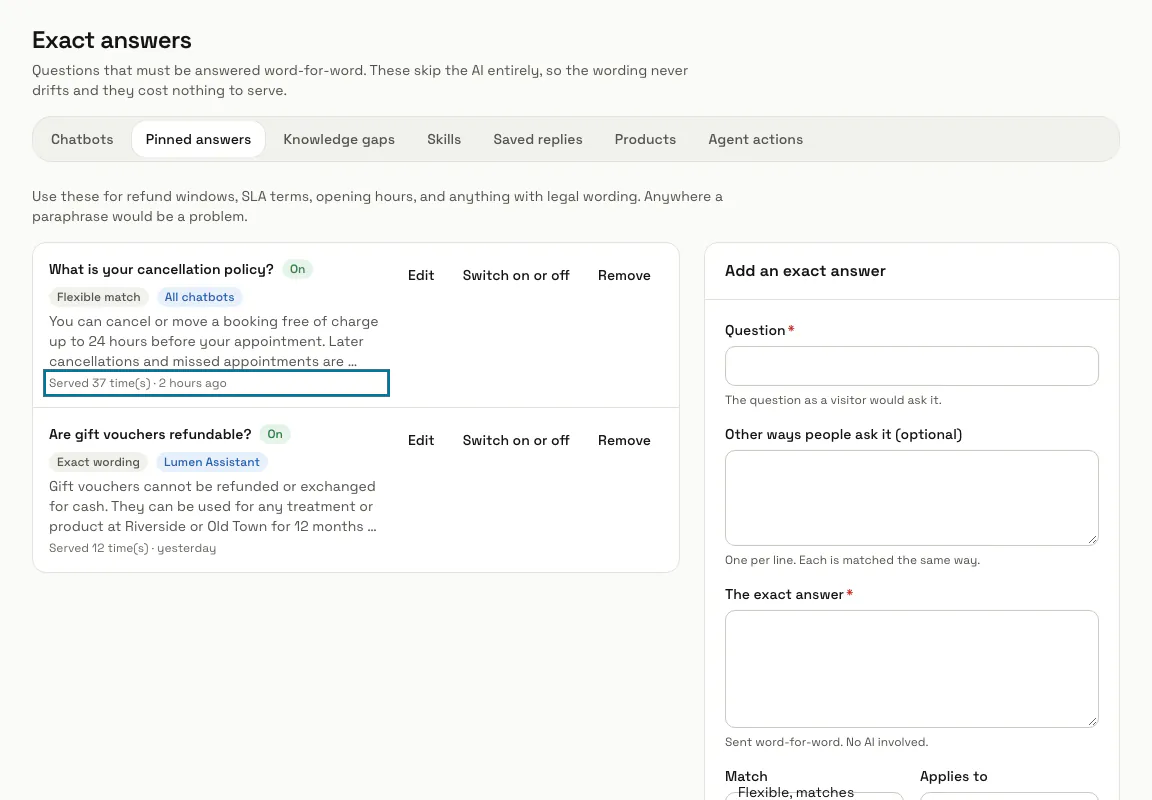
Each answer shows "Served" with a count and when it was last used, and the most used come first. "Edit" changes it, "Switch on or off" pauses it and "Remove" deletes it.
Tips
- Answering a question on the Knowledge gaps page makes a pinned answer for you.
Stuck on a step? Ask our team