Your chatbot
Knowledge gaps
The questions your assistant could not answer and the answers visitors marked unhelpful, most asked first, so you know what to teach it next.
Who can use it: Owner and Admin, or a custom role with "Manage training and knowledge".
Step 1: Open "Knowledge gaps"
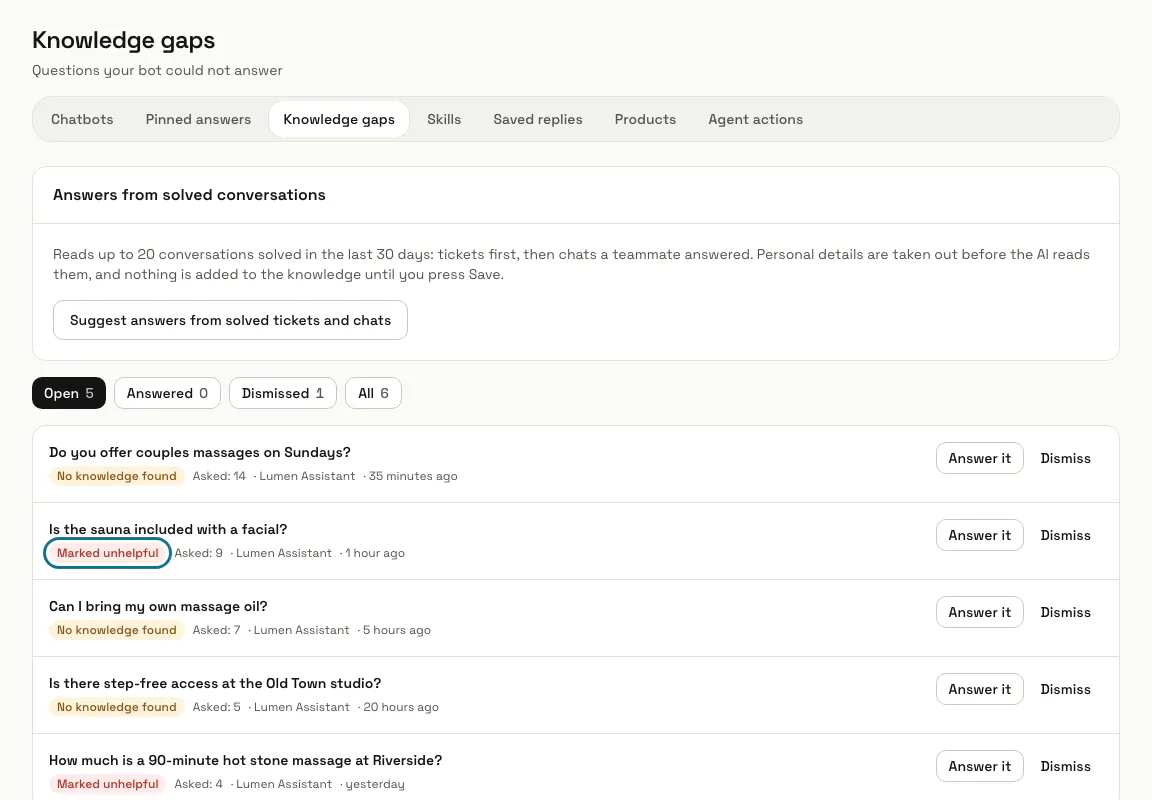
Open "AI agent" in the left menu, then "Knowledge gaps". The most asked questions come first, each with how many times it was asked, the chatbot and when it was last asked.
Step 2: Read why each question is there
"No knowledge found" means the assistant had nothing in its training for a real question. "Marked unhelpful" means a visitor gave the answer a thumbs down, which counts as the stronger reason. Questions with the same key words are counted as one.
Step 3: Press "Answer it"
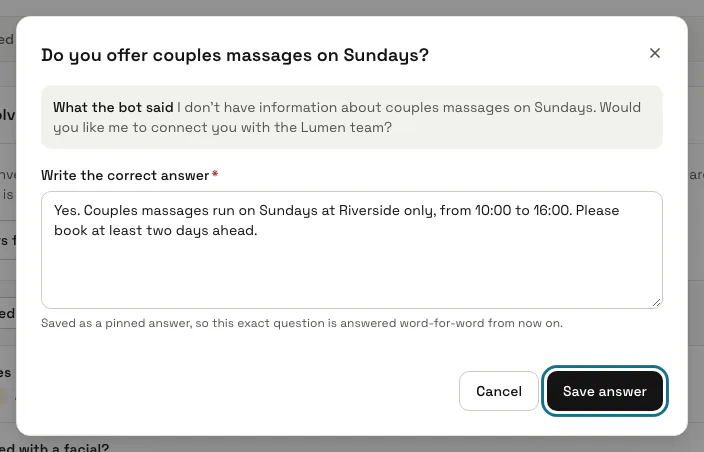
A window opens with the question and "What the bot said". Type the right reply under "Write the correct answer".
Step 4: Press "Save answer"
Your reply is saved as a pinned answer for that chatbot with a "Flexible" match, and the question moves to "Answered". From then on a message with the question's key words gets your reply word for word.
The answer it makes lives under "Pinned answers", where you can edit or remove it. If the question comes back unanswered later, it opens again.
Step 5: Press "Dismiss" for a question you will not answer
A dismissed question stays dismissed even when it is asked again, so the open list keeps to what you can fix.
Step 6: Filter by status
The buttons at the top show "Open", "Answered", "Dismissed" and "All", each with its count.
Step 7: Press "Suggest answers from solved tickets and chats"
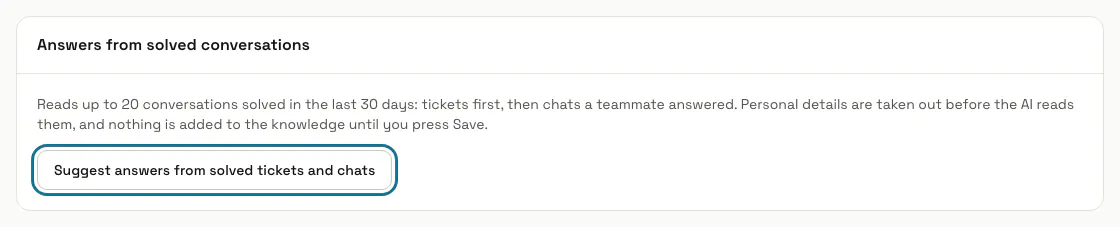
Under "Answers from solved conversations", it reads up to 20 conversations solved in the last 30 days, tickets first, then chats a teammate answered, with names, contact details, order and invoice numbers, the customer's domains and passwords taken out first. It drafts answers for each chatbot: change what is wrong, untick what you do not want and press "Save to knowledge" for that chatbot. A conversation whose drafts you saved is not offered again.
Nothing is added to the knowledge until you save. Drafting uses the chatbot's AI and counts as its use; it can be run 3 times in 10 minutes.
Tips
- Questions people really asked make good answer tests: add them under the chatbot's "Answer tests" to notice if an answer ever breaks.
- Very short messages such as "ok" or "thanks" are never recorded here.
Stuck on a step? Ask our team