Your chatbot
Test chat and answer tests
Try the assistant as a visitor would, then keep a list of questions it must keep answering correctly and grade it after each change.
Who can use it: Owner and Admin, or a custom role with "Manage training and knowledge". The Test tab is open to everyone in the workspace.
Step 1: Open the "Test" tab and chat
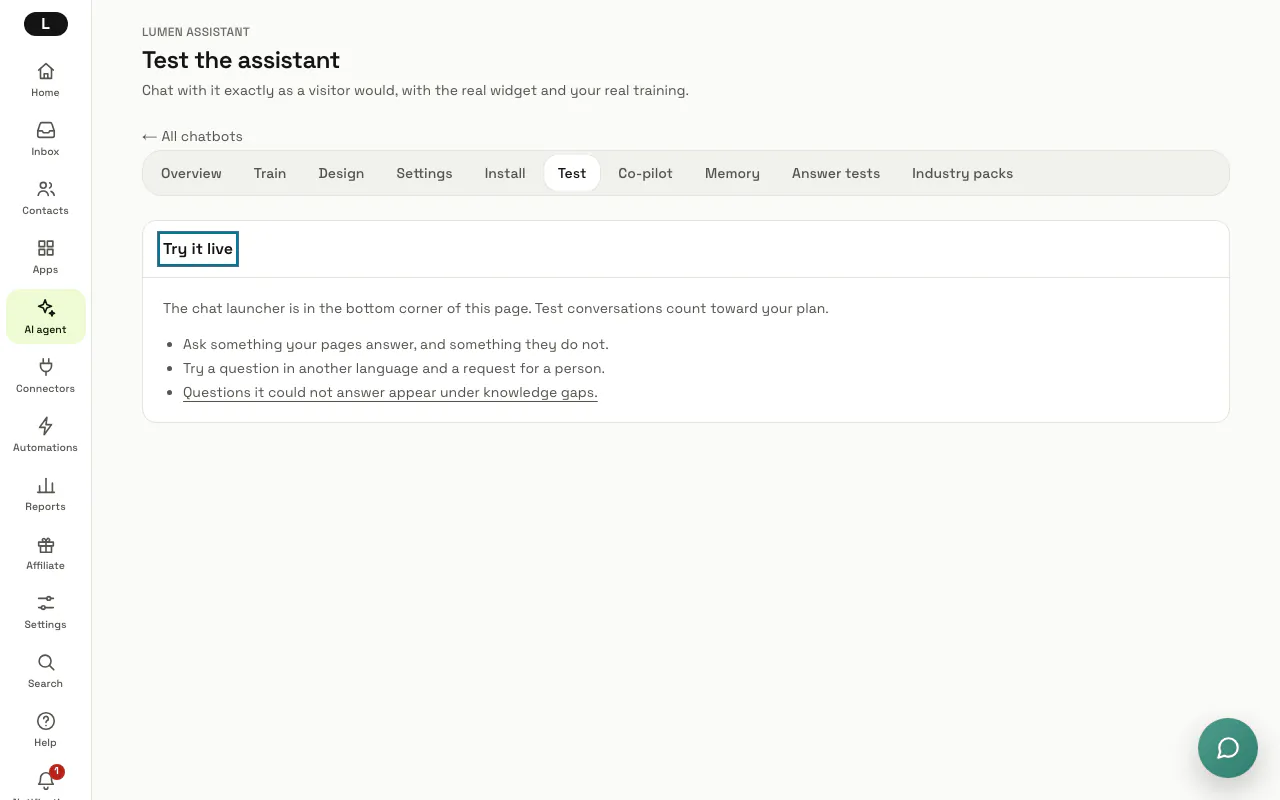
On your chatbot, open "Test": the real widget loads on the page, with its launcher in the bottom corner. Ask something your pages answer, something they do not, a question in another language and a request for a person.
Test conversations count toward your plan's messages, like any visitor's.
Step 2: Open "Answer tests"
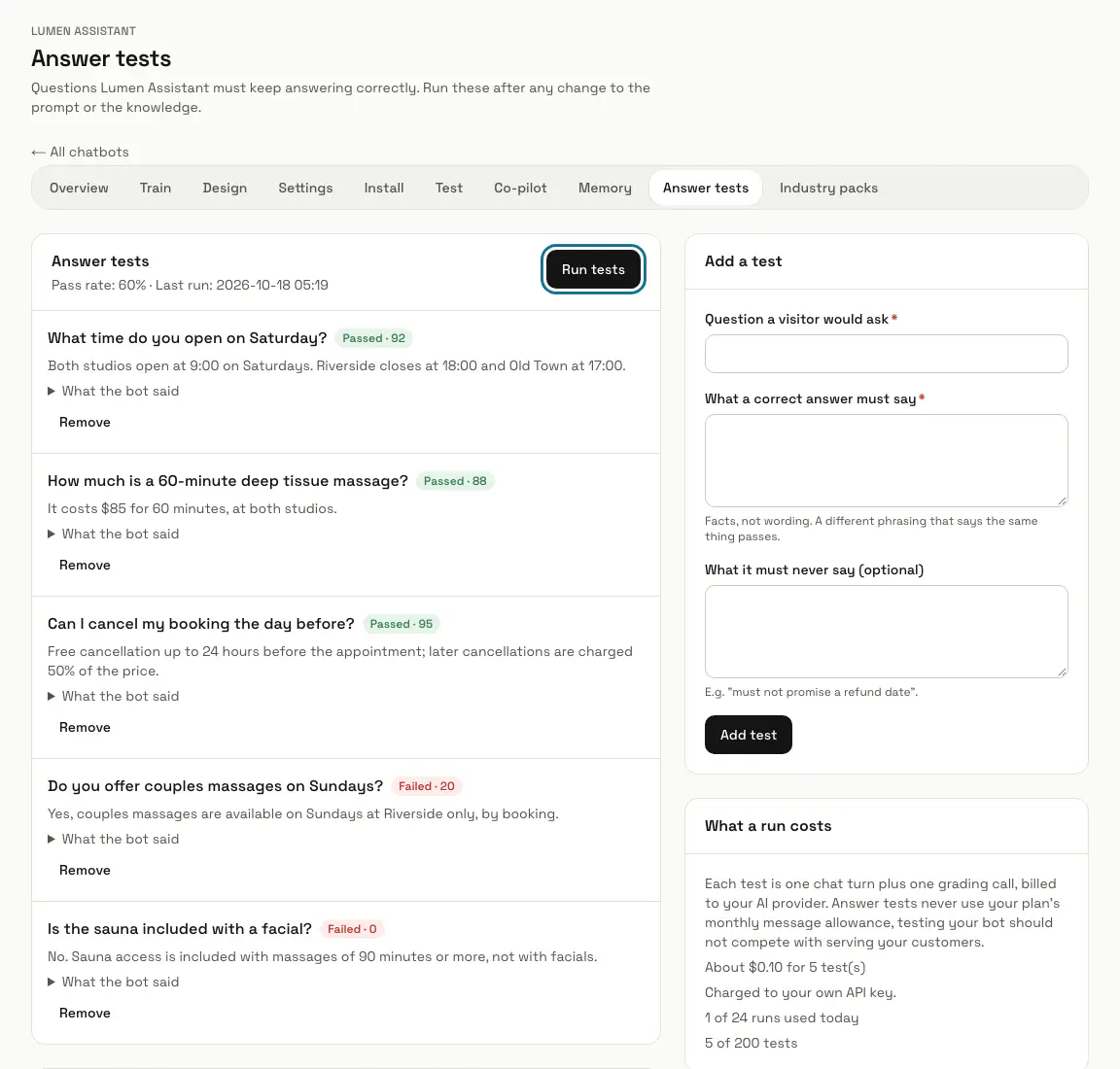
Open "Answer tests" in the chatbot's row of tabs. Each test is a question with what a correct answer must say, and the top of the list shows the pass rate and the time of the last run.
Step 3: Add a test
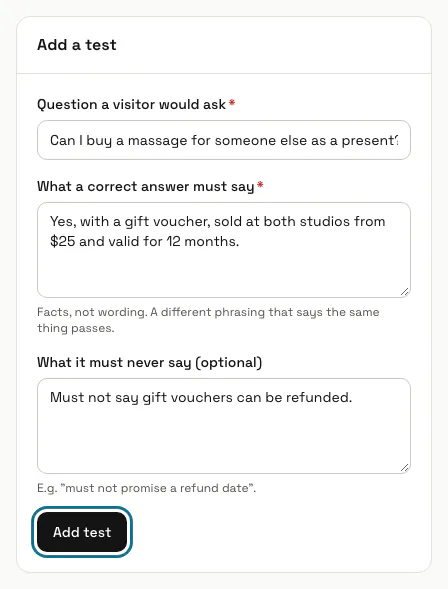
Under "Add a test", fill in "Question a visitor would ask" and "What a correct answer must say": facts, not wording, so another phrasing that says the same thing passes. "What it must never say" is optional; press "Add test".
Step 4: Press "Run tests"
Each test is asked through the real chat in a throwaway conversation, then graded by AI on the facts; 70 out of 100 or more passes. The run happens in the background: refresh after a moment, and the page keeps itself up to date while a run is going.
Step 5: Read the grades
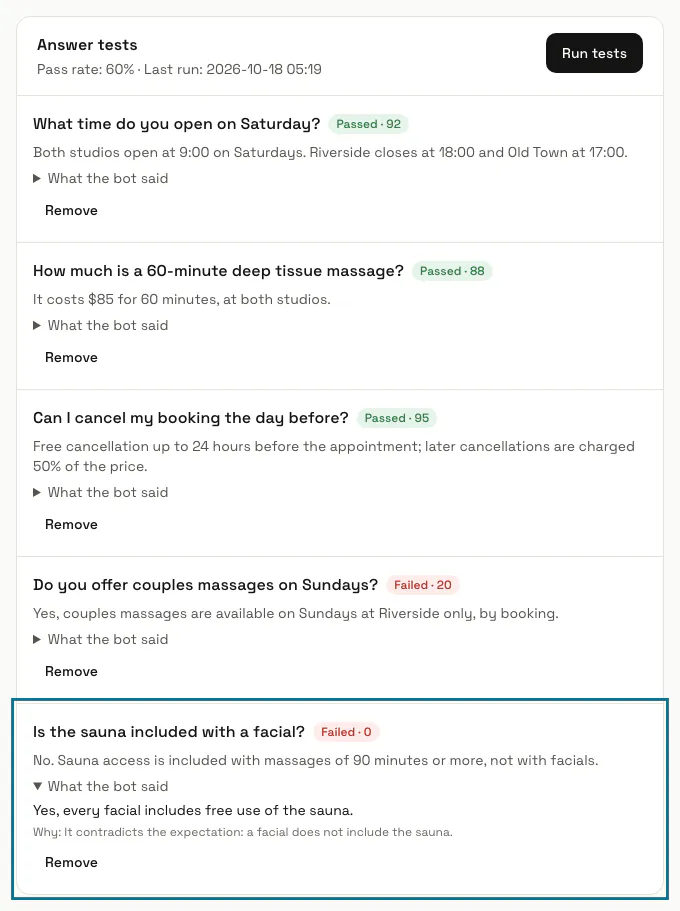
Each test shows "Passed" or "Failed" with its score. Open "What the bot said" to read the answer and the grader's reason under "Why", and see "Recent runs" for earlier results.
Step 6: Check "What a run costs"
Each test is one chat turn plus one grading call, and the box estimates the run at about 2 cents a test. It also shows how many runs you have used today and how many tests you have.
Tips
- The quickest start is the Knowledge gaps page: turn the questions people really asked into tests.
Limits and switches
- On our keys a chatbot can keep 50 active tests and run them 6 times in 24 hours; on your own provider key, 200 tests and 24 runs. You wait 5 minutes between runs.
- Answer tests never use your plan's monthly AI messages.
Stuck on a step? Ask our team