Your chatbot
Agent actions
Choose what the assistant may do on its own in each chatbot, such as tagging a chat or sending an email, and read the log of what it did.
Who can use it: Owner and Admin, or a custom role with "Change workspace settings and connections".
Step 1: Open "Agent actions"
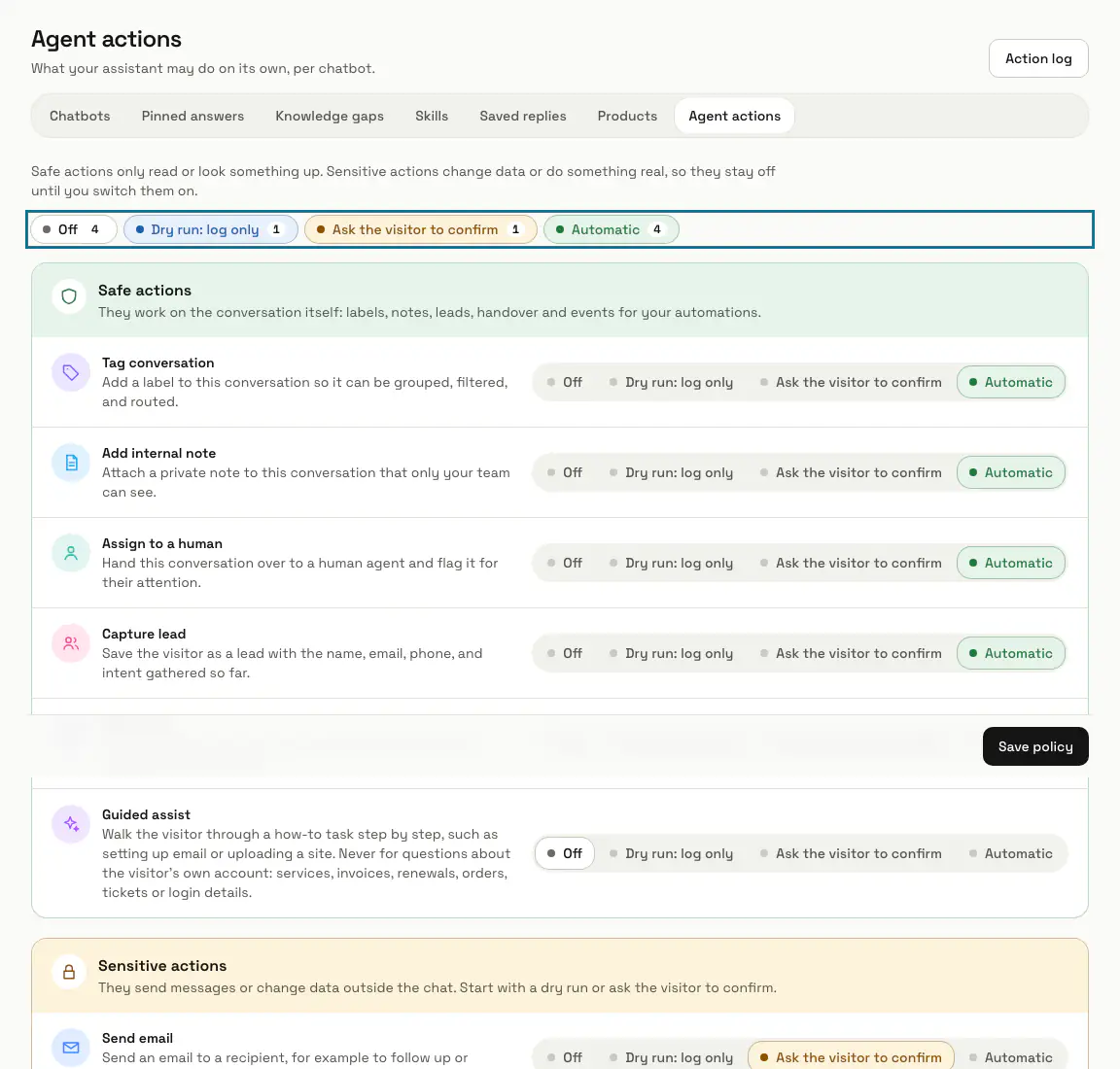
Open "AI agent" in the left menu, then "Agent actions". With more than one chatbot, pick it in the list at the top and press "Load"; the policy belongs to that chatbot.
Step 2: Read the two groups
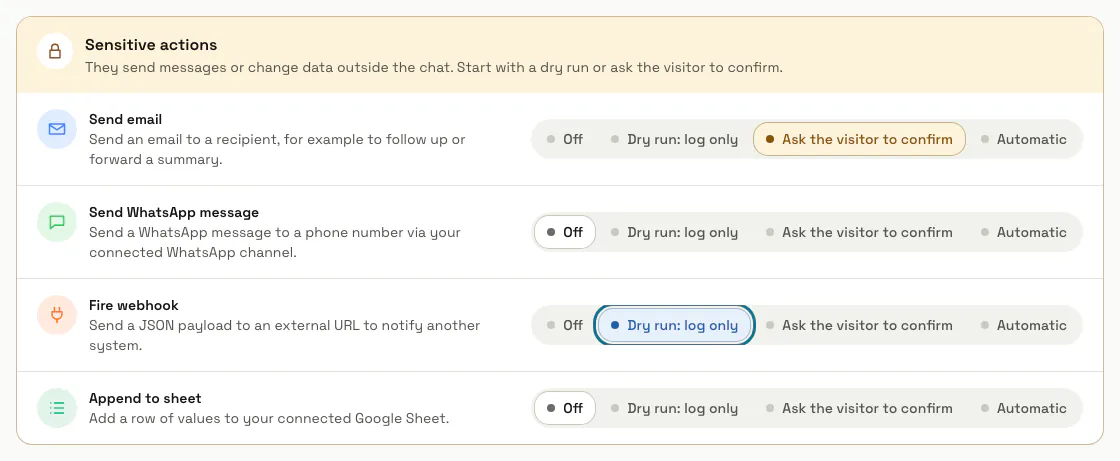
"Safe actions" work on the conversation itself: tags, internal notes, leads, handing over to a person, events for your automations and step-by-step guidance. "Sensitive actions" send messages or change data outside the chat: email, WhatsApp, webhooks and Google Sheets.
Step 3: Choose a mode for each action
"Off" never runs it, and "Dry run: log only" writes what it would have done to the log without doing it. "Ask the visitor to confirm" says what it is about to do and waits for a yes; "Automatic" runs it straight away.
Step 4: Press "Save policy"
The modes apply to that chatbot from its next message.
Nothing runs until you save once. Before that the screen suggests "Automatic" for the safe actions and "Off" for the sensitive ones, but the assistant uses none of them.
Step 5: Open the "Action log"
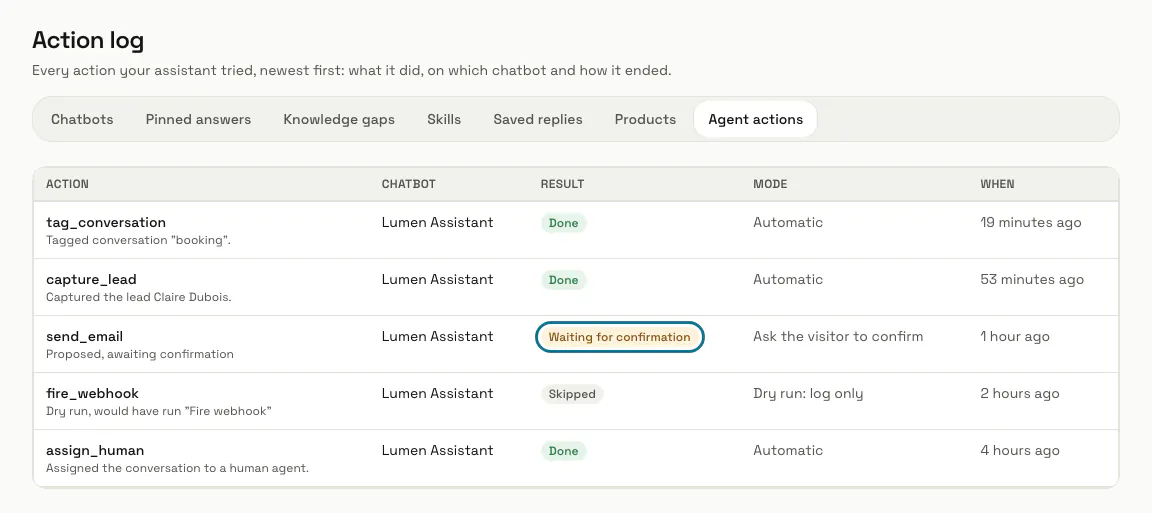
Press "Action log" at the top of the page. Every action the assistant tried is listed newest first, with the chatbot, the result ("Done", "Waiting for confirmation", "Skipped" or "Failed") and the mode.
Tips
- Put a sensitive action on "Dry run: log only" for a week and read the log before you let it run.
- "Send email" only ever writes to the visitor's own email address; the assistant cannot pick another recipient.
- In one message the assistant runs at most three actions, and at most one sensitive action on "Automatic".
Limits and switches
- Agent actions need a plan that includes them. Without one, the assistant takes no action and an action cannot be switched on; the page names the plan that includes them.
Stuck on a step? Ask our team