Inbox and team
Saved replies
Write the answers your team sends often once, then drop them into any chat by typing / in the inbox.
Who can use it: Owner, Admin and Agent, or a custom role with "Reply to, take over and assign conversations". Adding or changing shared replies needs "Change workspace settings and connections" (Owner and Admin); everyone else adds personal replies.
Step 1: Open "Saved replies" under AI agent
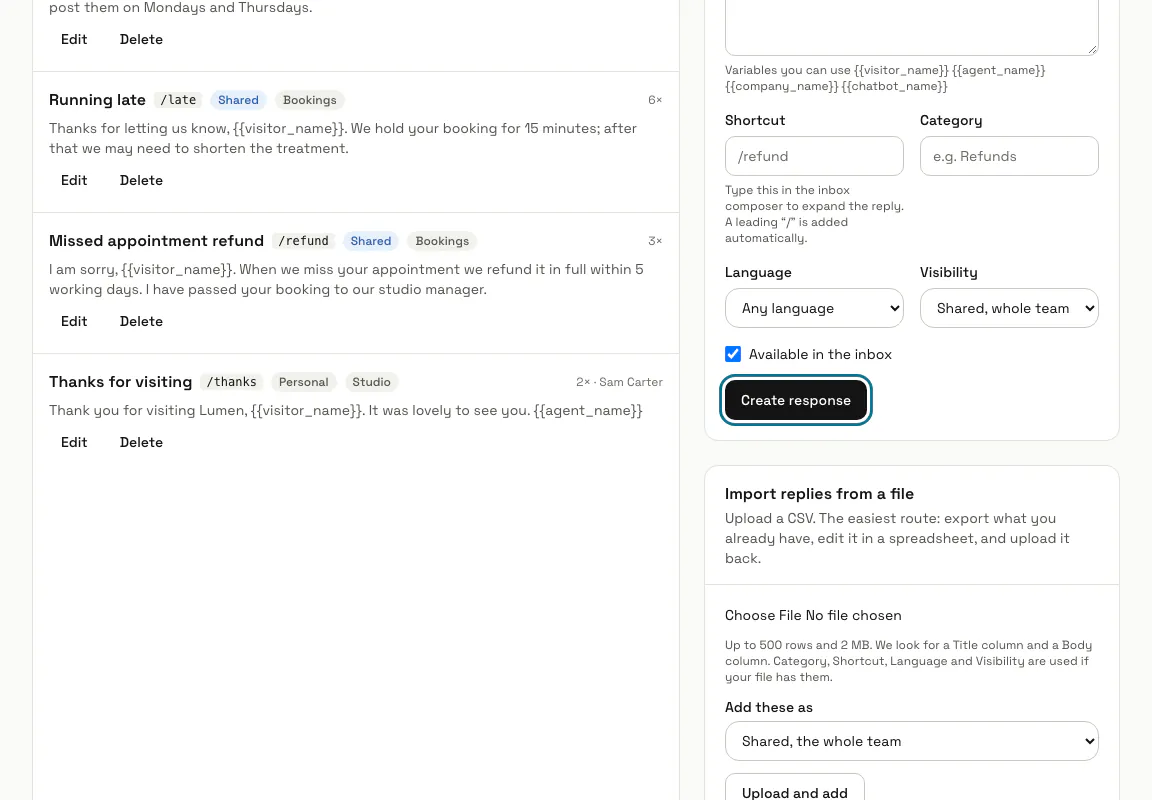
Press "AI agent" in the left menu, then "Saved replies" in the row of links. The page, called "Canned responses", lists each reply with its shortcut, whether it is shared or personal, and how many times it was used.
Step 2: Fill in "New response"
Give it a "Title", the "Reply" text and a "Shortcut" such as refund (a / is added in front for you). "Category" and "Language" are optional, and {{visitor_name}}, {{agent_name}}, {{company_name}} and {{chatbot_name}} fill themselves in when the reply goes into a chat.
Step 3: Choose who can use it
Under "Visibility", pick "Shared, whole team" or "Personal, only you", then press "Create response". Switch off "Available in the inbox" to retire a reply without deleting it.
Step 4: Press "Ready-made replies"
It lists replies written for common support questions. Tick the ones you want and press "Add ticked replies", or use the "Add all" button; adding the same reply twice does nothing, so it is safe to come back.
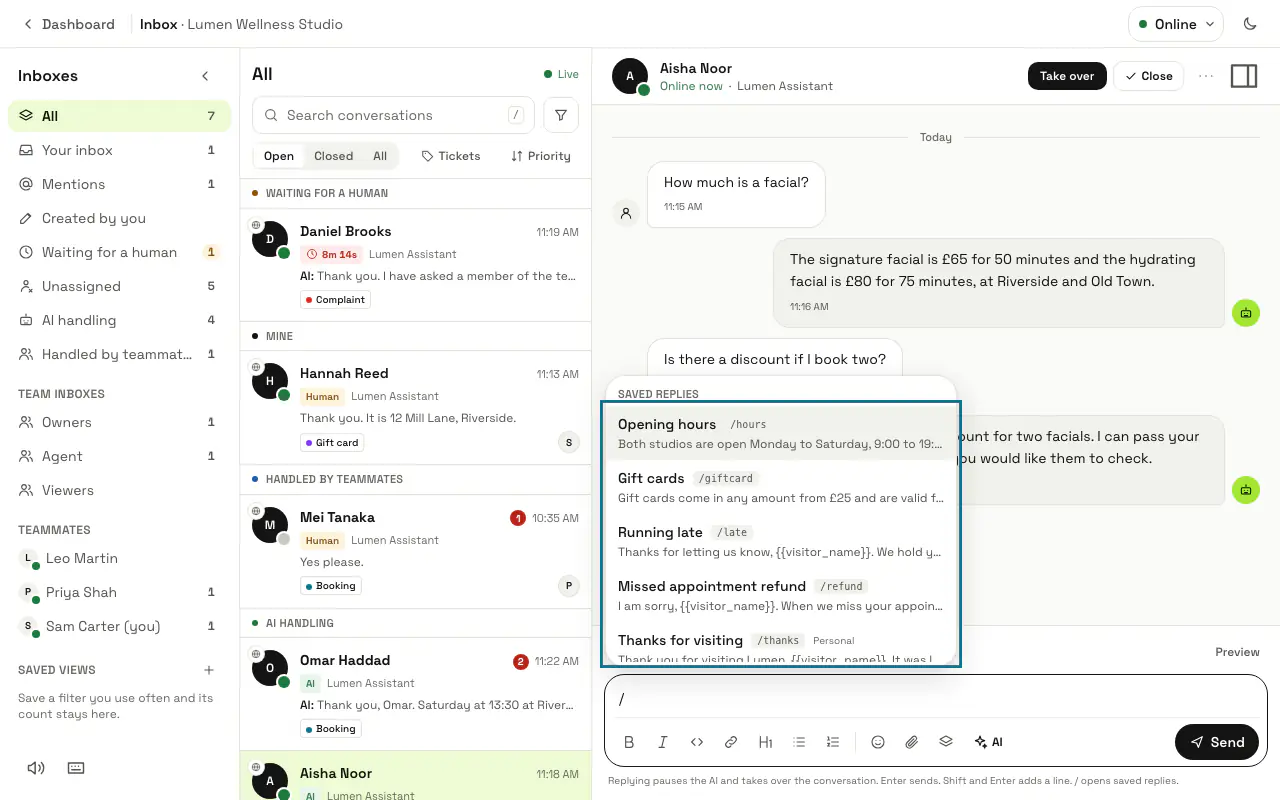
Step 5: Type / in the inbox reply box
In a conversation, type / and the start of a shortcut or title, then press Enter or Tab to insert the reply, which you can still edit before sending. The "Saved replies" button in the reply box opens the same list with a search box.
Saved replies go into replies only, not into internal notes.
Step 6: Press "Export" to download your replies
"Export" saves every reply as a CSV file. Change it in a spreadsheet and send it back under "Import replies from a file" with "Upload and add": up to 500 rows and 2 MB, with a Title and a Body column.
Tips
- A reply with the same name as one you already have is skipped, both on import and from Ready-made replies.
Stuck on a step? Ask our team