Inbox and team
Live visitors
See who is on your website right now, which page they are reading and who is waiting for a person.
Who can use it: Owner, Admin, Agent and Viewer, or a custom role with "See the shared inbox and conversations".
Step 1: Open Live visitors from "Search"
Press "Search" in the left menu (or Ctrl and K, Cmd and K on a Mac), type Live visitors and press Enter. The page sits beside the inbox, and its row of links reads "Inbox" and "Live visitors".
Step 2: Read the list of people on your site
The line at the top counts the people on the site, browsing, chatting and waiting for a person. Each row shows the visitor's name (or "Visitor" and a short code), "Browsing", "Chatting" or "Waiting for a person", the page they are on, how long they have been on the site, the chatbot, their country and their device.
The list updates by itself every 25 seconds or so. A visitor stays on it for 90 seconds after their page last checked in.
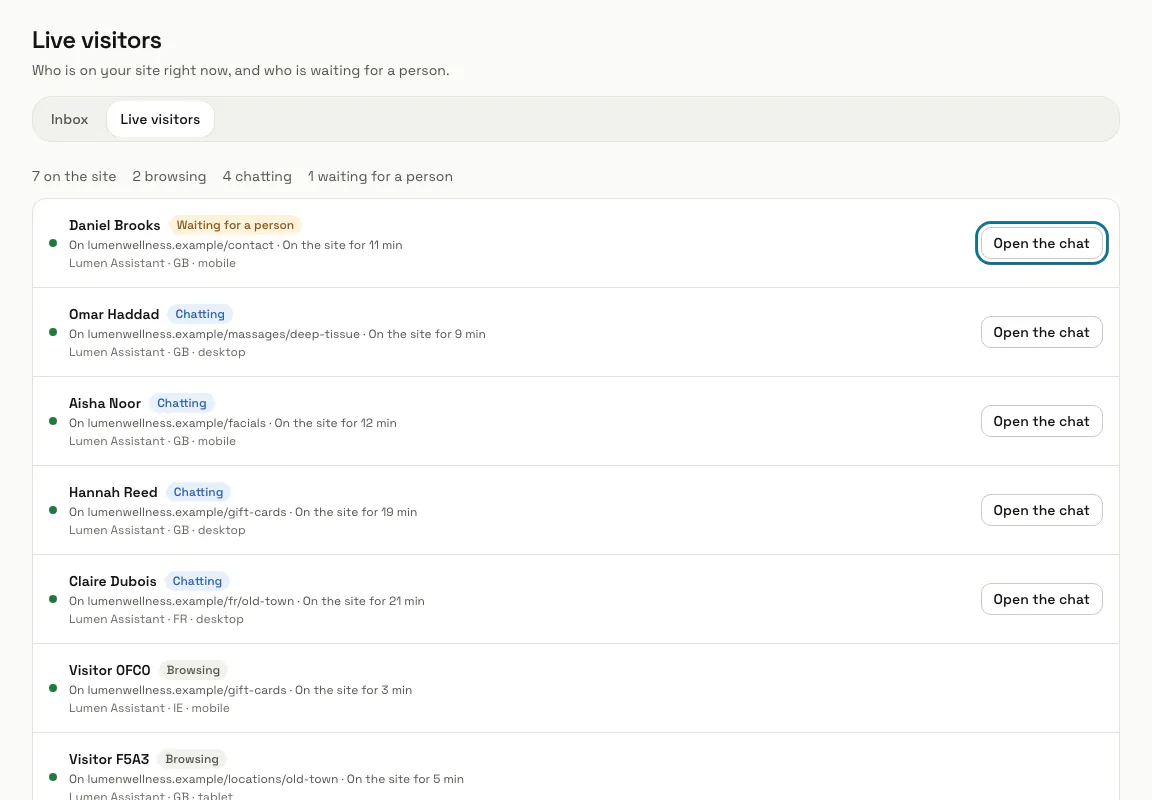
Step 3: Press "Open the chat"
It opens that visitor's conversation in the inbox, where you take it over and reply. Someone who is only browsing has no chat yet, so their row has no button.
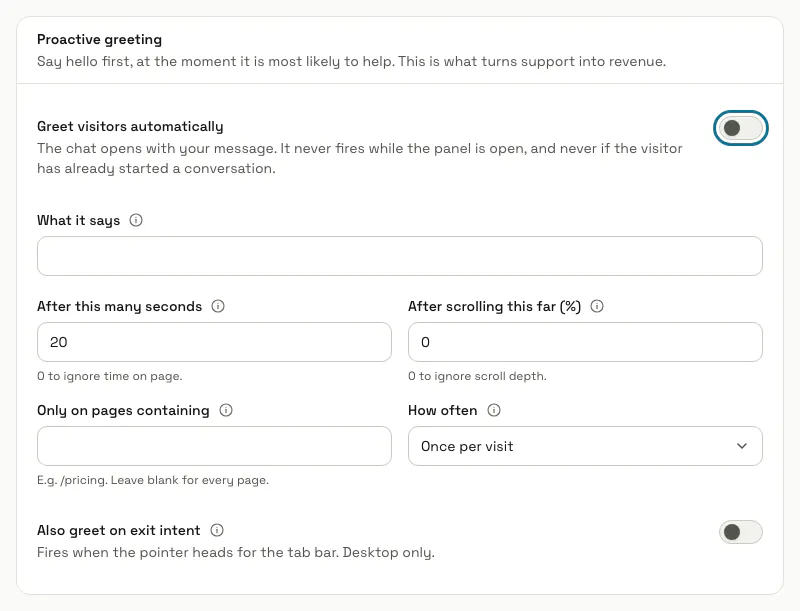
Step 4: Switch on "Greet visitors automatically"
To say hello first, open your chatbot's settings, then the "Features" tab, and switch on "Greet visitors automatically" under "Proactive greeting". Fill in "What it says", "After this many seconds", "After scrolling this far (%)", "Only on pages containing" and "How often", then press "Save changes".
The greeting never opens while the chat window is already open, or once the visitor has started a conversation. Changing chatbot settings needs "Create, edit and delete chatbots" (Owner and Admin).
Step 5: Use the agent app to message someone who is browsing
This page has no button to start a chat with someone who has not written yet. In the MagizAI agent app, the Visitors tab lists the same people and lets you open a chat with a visitor who is only browsing.
Step 6: Keep the chat widget on your pages
A visitor shows up only while they have a page open that carries the chat widget of a chatbot that is switched on. Browsers that send Do Not Track are left out, and nobody is listed while the workspace is suspended. With no chatbot switched on, the page says so above the list.
A chatbot set to "Store a visitor ID only after the visitor opens the chat" lists a new visitor only from the moment they open the chat (Install the widget, in this guide).
Tips
- A chat a teammate is holding stays on the list for 30 minutes after the visitor closes the page, marked "Left the page".
Limits and switches
- The page lists up to 100 visitors on the site at once.
Stuck on a step? Ask our team