Account, billing and plans
Privacy requests
Export or erase what you hold about one chat visitor when they ask you to, and choose how long conversations are kept.
Who can use it: Owner and Admin, or a custom role with "Change workspace settings and connections".
Step 1: Open Settings, then "Privacy requests"
The page has "Export their data" and "Erase their data" for one visitor, and "Delete old conversations" for the whole workspace. Check who is asking before you act: anyone can claim a visitor ID, and an erasure cannot be undone.
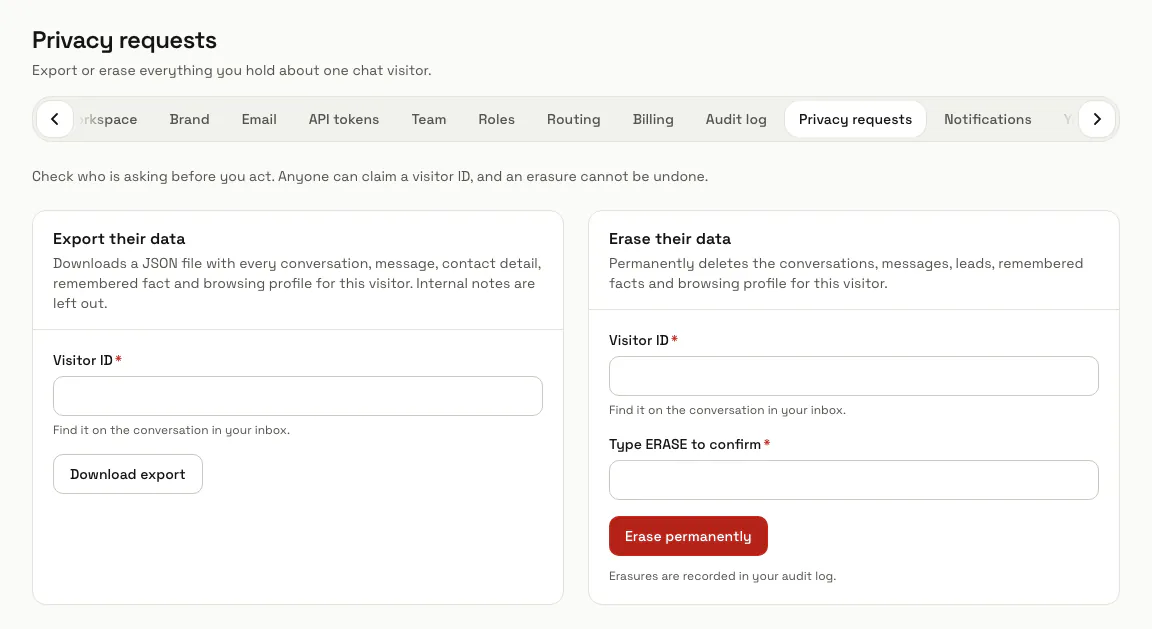
Step 2: Enter the "Visitor ID"
Both panels work on one visitor ID, the ID MagizAI keeps for that chat visitor. Paste the whole ID in "Visitor ID".
The screen points to the conversation in your inbox, but the inbox shows a visitor who left no name as "Visitor" and only the first six characters of the ID. The export and the erasure need the whole ID.
Step 3: Press "Download export"
You get a JSON file with every conversation, message, contact detail, remembered fact and browsing profile for that visitor; internal notes are left out. Send it to the person who asked.
Step 4: Press "Erase permanently"
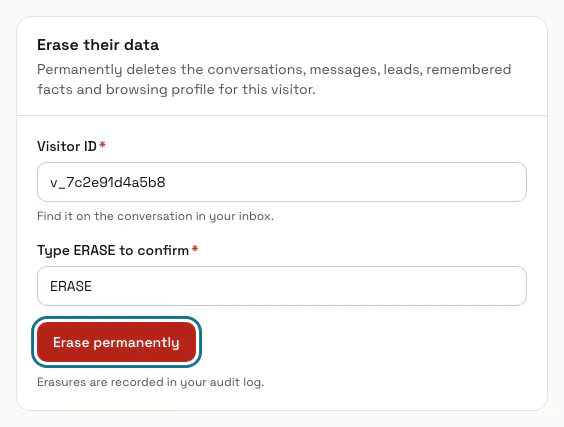
In "Erase their data", enter the visitor ID and type ERASE in "Type ERASE to confirm". Their conversations, messages, leads, remembered facts and browsing profile are deleted for good, with what their chats led to: bookings and their uploaded files, quotes, reviews and help desk tickets. A queue ticket keeps its number but loses the name and phone. The page says how many conversations went.
A customer record in Customers is not part of it: erase it there. Uploaded files leave the disk with the next clean-up of unused files.
Step 5: Choose "Delete conversations older than"
In "Delete old conversations", pick 30, 90, 180, 365 or 730 days, or "Another number of days" and type one from 7 to 3650, then press "Save". Every night MagizAI deletes, on every channel, the conversations with no message and no change for that long, with what was made in them: leads, bookings with their uploaded files, quotes, reviews and help desk tickets. The panel says how many the next run would delete.
Kept whatever their age: a conversation a teammate is handling, that is assigned or that waits for a person, until it is closed; one with a booking or an appointment still to come; one whose help desk ticket changed in that time. "Never" switches it off, which is where every workspace starts.
Step 6: Find the erasure in the "Audit log"
Each erasure is recorded as "Erased a visitor's data", with who did it and when. A new retention shows as "Changed how long conversations are kept", and each night that deletes conversations as "Deleted conversations past the kept time", with the counts.
Stuck on a step? Ask our team