Account, billing and plans
Audit log
Who changed what in your workspace, newest first: settings, people, billing and training.
Who can use it: Owner and Admin, or a custom role with "Change workspace settings and connections".
Step 1: Open Settings, then "Audit log"
Each row shows "When", "Who" (a teammate, "Support staff" or "System") and "What happened", with the IP address it came from. The newest change is at the top, 30 to a page.
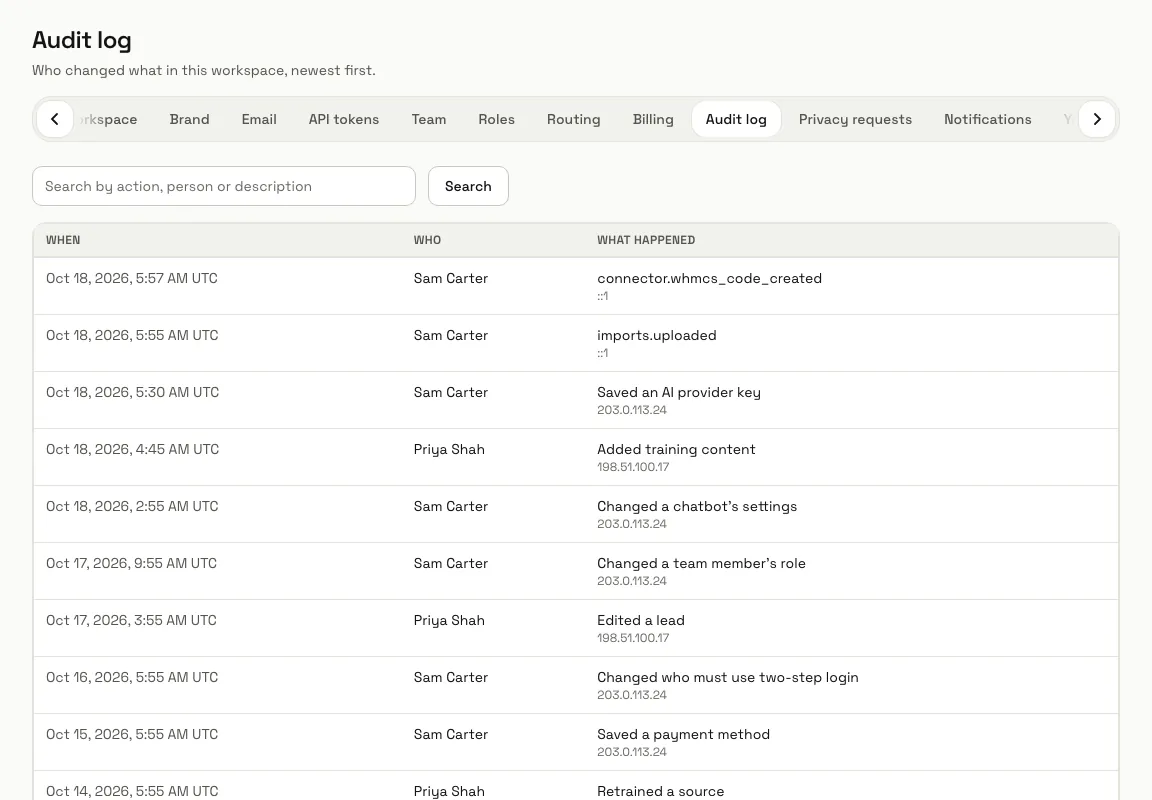
Step 2: Search by a name or a word
Type a teammate's name, or a word such as "chatbot", "billing" or "key", in "Search by action, person or description" and press "Search". "Clear" shows everything again.
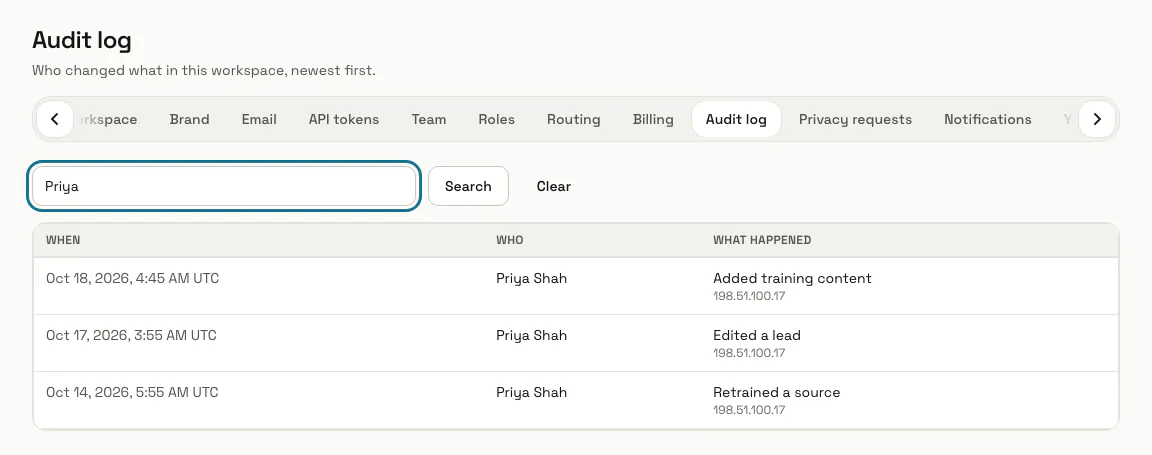
Step 3: Press "Next" for older changes
"Previous" and "Next" under the list move through the older pages.
Step 4: Check a change you did not expect
Ask the person named under "Who", and compare the IP address with where your team works. To stop someone making changes, give them another role in Settings, Team.
Limits and switches
- There is no way to edit or remove a row of the log.
Stuck on a step? Ask our team