Developers
Webhooks
Send events such as new leads, handoffs and bookings to your own web address, signed so you can check each one came from MagizAI.
Who can use it: Owner and Admin, or a custom role with "Change workspace settings and connections".
Step 1: Open the Webhooks tab
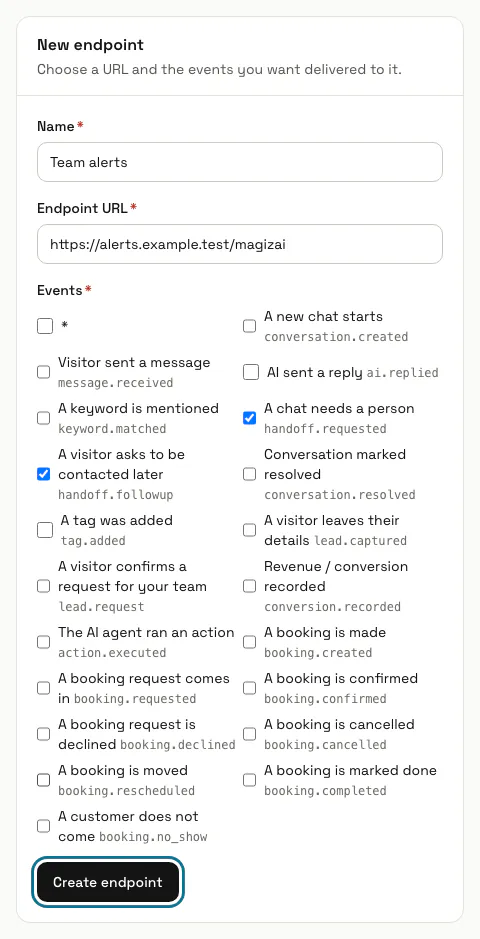
In "Automations", press the "Webhooks" tab. Your endpoints and "Recent deliveries" are on one side and the "New endpoint" form on the other.
Step 2: Fill in "New endpoint"
Give it a "Name", paste the "Endpoint URL" and tick the "Events" you want, or "*" for every event. Press "Create endpoint".
Step 3: Copy the signing secret now
Once the endpoint is made, its signing secret, starting with whsec_, is shown one time with a "Copy" button. Keep it in your server's settings.
The secret is never shown again. If you lose it, delete the endpoint and create it again to get a new one.
Step 4: Check the signature on your server
Each delivery is a POST of JSON with the event, a timestamp and the data, plus an X-Signature header: sha256= and the HMAC-SHA256 of the raw body, made with your secret. Work it out on the raw bytes before you parse the JSON, and compare in constant time.
// signingSecret: the whsec_ secret you copied, kept in your server's settings const expected = 'sha256=' + crypto .createHmac('sha256', signingSecret) .update(rawBody) .digest('hex'); // compare expected with the X-Signature header using crypto.timingSafeEqualStep 5: Press "Send test"
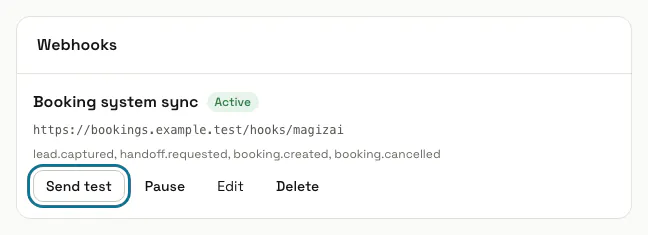
A signed test event named ping goes to the endpoint straight away and shows in "Recent deliveries". Answer with a 2xx status within 10 seconds, or the delivery counts as failed.
Step 6: Read "Recent deliveries"
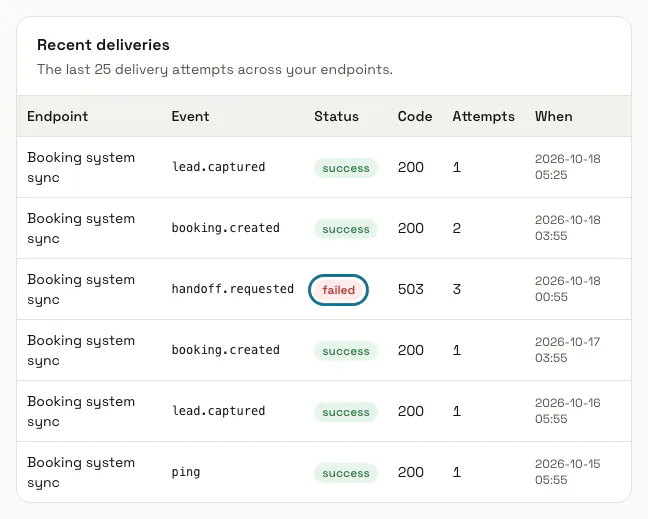
The last 25 deliveries show the endpoint, the event, the status, the response code, the attempts and when. A delivery that fails or gets an answer outside 2xx is tried again, up to three attempts in all.
Step 7: Pause, edit or delete an endpoint
Press "Pause" to stop deliveries and "Enable" to start them again. "Edit" changes the name, address, events and "Active"; "Delete" removes the endpoint and its deliveries.
Tips
- Deliveries can arrive out of order and a retry can arrive twice, so treat each one as a fact to apply, keyed on the conversation's public_id.
- The address must be reachable on the public internet: addresses inside your own network are refused.
- The events cover new chats, visitor messages, AI replies, keywords, handoffs, follow-up requests, resolved chats, tags, leads, confirmed requests, conversions, agent actions and every change to a booking.
Stuck on a step? Ask our team